FREE Sketch Leaf Branch Icon
If you're designing a nature-inspired website, crafting eco-conscious branding, or building a clean dashboard for a wellness startup, the FREE Sketch Leaf Branch Icon is more than just decoration—it’s functional visual language. This isn’t a generic clipart leaf or an over-polished stock asset. It’s a hand-drawn, intentionally imperfect sketch that balances organic warmth with digital precision—available in four fully editable vector formats plus a high-res raster option.
What Makes This Sketch Leaf Branch Icon Stand Out
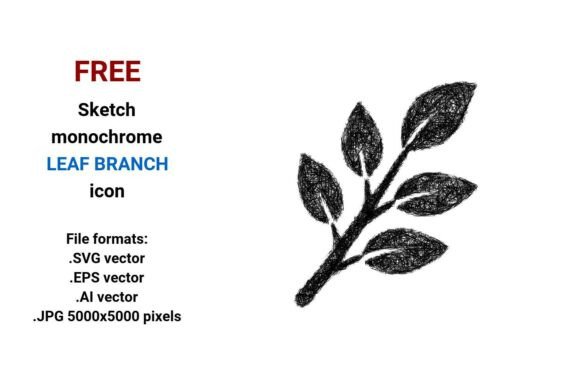
At its core, the FREE Sketch Leaf Branch Icon captures movement and growth: a single branch extending with three gracefully curved leaves, rendered in loose, confident pencil-like strokes. Unlike rigid geometric icons, it uses subtle line weight variation and slight asymmetry—hallmarks of authentic hand drawing. That “sketchy” quality builds instant relatability, especially for audiences valuing sustainability, mindfulness, or artisanal authenticity.
Its technical foundation is equally intentional. As a true vector image, it’s built from mathematical paths—not pixels—so whether you scale it to fit a mobile app button (24×24 px) or print it across a 6-foot trade show banner, edges stay razor-sharp. And because it’s delivered in .SVG, .EPS, .AI, and .JPG (5000×5000 px), you’re covered across platforms: web developers grab SVG for responsive interfaces; designers open AI/EPS in Illustrator for color swaps or custom tweaks; marketers drop the JPG into presentations or social assets without wrestling with vectors.
Real-World Uses You’ll Actually Reach For
This isn’t an icon you download and forget. It integrates seamlessly where visual clarity and tone matter:
- UI & Dashboard Elements: Use the branch with leaves as a subtle hover state for an “Eco Mode” toggle, a category label in a gardening app, or a status indicator for “in progress” tasks—its natural curve suggests forward motion without shouting.
- Branding & Identity: Pair it with minimalist typography for a herbal tea brand, a forest therapy retreat, or a botany education platform. The sketch aesthetic signals approachability and human-centered values—no sterile corporate gloss.
- Educational Materials: Teachers embed the leaf branch icon into worksheets about photosynthesis or tree anatomy. Its simplicity avoids cognitive overload while still conveying botanical structure.
- Print & Merch: Because the vector files are fully editable, you can isolate one leaf for a repeating pattern on notebook covers—or convert the whole branch into a debossed motif on sustainable packaging.
- Startup Landing Pages: Place it beside a headline like “Grow Your Idea” or “Rooted in Real Results.” The branch with leaves icon becomes quiet visual metaphor—not forced, not cliché, but instantly legible.
Why “Sketch” Isn’t Just a Style Choice—It’s Strategy
In interface design, sketch-style icons perform differently than flat or neumorphic ones. They reduce perceived friction. A user scanning a dashboard feels less like they’re interacting with software and more like they’re working with tools designed by people who understand their context. That’s why this hand drawn icon works so well for mental health apps, educational tech, or local food co-ops—spaces where trust and warmth drive engagement more than flashy animations.
It also sidesteps visual fatigue. With so many interfaces saturated in ultra-thin lines and uniform corner radii, a rough, pen-based stroke stands out—not by being loud, but by being human. And because it’s editable, you’re not locked in: change stroke color to match your brand palette, adjust curvature to echo other icons in your set, or even delete one leaf to simplify for smaller touch targets.
Practical Tips Before You Download
First—verify your use case aligns with the icon’s strengths. If you need photorealistic foliage for a landscape architecture portfolio, this isn’t the asset. But if you want a simple, scalable, brand-consistent symbol that implies growth, connection, or natural systems? It’s purpose-built.
Second—check your workflow. Need to animate the branch in Figma? Grab the SVG—it imports cleanly and retains layer names. Working in Affinity Designer? Open the EPS. Prepping a client PDF presentation? Embed the high-res JPG to avoid font or vector compatibility hiccups.
Third—consider pairing. This leaf branch button shines when contrasted with cleaner elements: pair it with a sans-serif typeface, generous whitespace, and muted earth tones. Avoid stacking it with other sketchy icons unless you’ve deliberately built a cohesive hand-drawn system—otherwise, it loses its quiet impact.
More Than Just a Free Asset—A Design Decision
Downloading a FREE Sketch Leaf Branch Icon isn’t just about saving time or budget. It’s a small but meaningful choice toward intentionality in communication. Every time someone sees that branch—whether on your SaaS dashboard, your classroom slide deck, or your compostable product label—they register not just “leaf,” but “care,” “continuity,” “organic process.” That resonance doesn’t come from complexity. It comes from restraint, authenticity, and thoughtful execution.
And because it’s truly free—no watermarks, no attribution required, no tiered access—you retain full creative control. No fine print. No surprise licensing limits. Just a clean, versatile, handdrawn representation of something fundamental: life, branching outward.
Final Thought
Icons are micro-interactions. They guide, reassure, and sometimes quietly inspire. The FREE Sketch Leaf Branch Icon does all three—without saying a word. Whether you’re a freelancer building a client’s first website or an educator illustrating a lesson on ecosystems, it’s ready to serve—not as filler, but as function with feeling.