FREE Sketch Abandoned Cart Icon
If you’ve ever watched a visitor add items to their online cart—then vanish before checkout—you know how quietly costly cart abandonment can be. For ecommerce teams, marketers, and small business owners, that moment isn’t just a lost sale—it’s a signal. A chance to reconnect, clarify, or simplify. And sometimes, the clearest signal starts with something small: a well-placed, expressive icon.
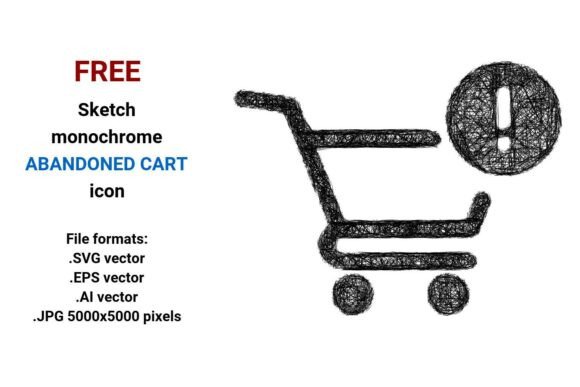
The FREE Sketch Abandoned Cart Icon is more than a visual placeholder. It’s a hand-drawn, monochrome sketch-style representation of a shopping cart—deliberately incomplete, slightly imperfect, and full of quiet intention. Designed in black and white, it carries an artistic, human touch without sacrificing clarity. It’s not glossy or overproduced. It’s sketched—like a quick note on a napkin that still lands the point.
Why this icon matters across roles
What feels like a simple graphic shifts meaning depending on who’s using it—and why.
For beginner website builders or solopreneurs, this icon is low-risk and high-clarity. You don’t need design software to drop it into a Shopify banner, email reminder, or popup. The .JPG version (5000×5000 pixels) works instantly in Canva or WordPress—even if you’ve never opened Illustrator. It’s clean, legible at small sizes, and communicates “cart” without explanation.
For designers and developers, the vector formats—.SVG, .EPS, and .AI—unlock real flexibility. You can recolor it in CSS, scale it for retina displays, or edit individual paths to match your brand’s line weight or rhythm. Because it’s built from math—not pixels—it stays razor-sharp whether it’s 16px tall in a mobile header or 200px wide on a presentation slide.
For educators and content creators, the sketch aesthetic adds warmth and approachability. Use it in a workshop slide about reducing cart abandonment, or embed it in a blog post explaining behavioral psychology in checkout flows. Its doodle-style authenticity helps soften technical topics—making concepts like “exit-intent triggers” or “recovery email timing” feel less abstract.
For marketers running A/B tests, having multiple file formats means you can test variations fast: try the flat black-and-white version against a colored variant (by editing the SVG), or compare placement—next to a “Complete Your Order” button versus inside a progress bar. The editable nature supports experimentation, not just decoration.
What “sketch” really gives you—beyond style
A sketch isn’t just an aesthetic choice. It’s a functional cue. In interface design, hand-drawn or scribble-style icons often signal informality, invitation, or approachability—ideal for moments where users feel hesitant or uncertain (like abandoning a cart). Unlike rigid, corporate icons, a pencil-drawn cart subtly says, “It’s okay to pause. We’re here when you’re ready.”
That tone matters—especially in recovery messaging. A stiff, photorealistic cart icon might feel transactional. A clean, black-and-white sketch abandoned cart icon feels human. Observational. Patient.
And because it’s monochrome and isolated (no background, no shadow), it adapts seamlessly: dark mode interfaces, print-ready PDFs, email clients with limited CSS support, or even physical signage for pop-up shops linking to online carts.
File formats, explained—not just listed
- .SVG: Best for web use. Loads fast, scales infinitely, and works with CSS animations or interactivity (e.g., pulse on hover). Ideal for buttons, navigation, or inline illustrations in blog posts.
- .EPS: A legacy but reliable vector format—still widely supported by print vendors and older design tools. Choose this if you’re handing assets to a printer or agency that requests EPS compatibility.
- .AI: Native Adobe Illustrator format. Gives full layer control, editable text (if any), and access to anchor points—perfect if you plan to refine strokes, adjust spacing, or build a custom icon set.
- .JPG (5000×5000 px): High-res raster option. Great for presentations, social media banners, or platforms that don’t accept vectors. Crisp even when zoomed, and universally compatible.
No subscription. No watermarks. No attribution required. Just four usable, production-ready files—free to download, modify, and deploy.
When this icon fits—and when it might not
This isn’t a one-size-fits-all solution. It shines when you value expressiveness alongside clarity—but may not suit every context.
It’s ideal if you:
- Want to reinforce a friendly, human-centered brand voice—not a purely corporate or luxury one.
- Need consistency across digital and printed materials (thanks to scalable vectors + high-res JPG).
- Are building educational content, internal training decks, or UX documentation where visual tone supports learning.
- Prefer editable assets over locked PNGs—so you can adapt color, stroke, or composition later.
It may be less ideal if you:
- Require strict WCAG-compliant contrast out-of-the-box (though the black-on-white version meets AA at standard sizes—always test in your layout).
- Need animated variants (e.g., bouncing cart, loading spinner)—this is static, not interactive by default.
- Work in a highly regulated industry where all visuals must follow rigid brand guidelines (in which case, treat it as a starting point—not a final asset).
A note on cart abandonment—and why visuals matter
Cart abandonment isn’t just about broken checkouts or slow pages. Often, it’s about hesitation—uncertainty about shipping, returns, or security. A thoughtful icon doesn’t fix those issues alone—but paired with clear copy and frictionless flow, it helps guide attention, reduce cognitive load, and gently nudge action. That sketch abandoned cart icon? It’s not decoration. It’s part of the conversation.
Whether you’re sketching a new landing page, designing a recovery email series, teaching a class on conversion rate optimization, or building your first WooCommerce store—the FREE Sketch Abandoned Cart Icon offers a grounded, flexible, and human entry point. No design degree needed. Just purpose, clarity, and the freedom to start simple.