FREE Sketch Fire Truck Icon: A Practical, Scalable Asset for Designers and Developers
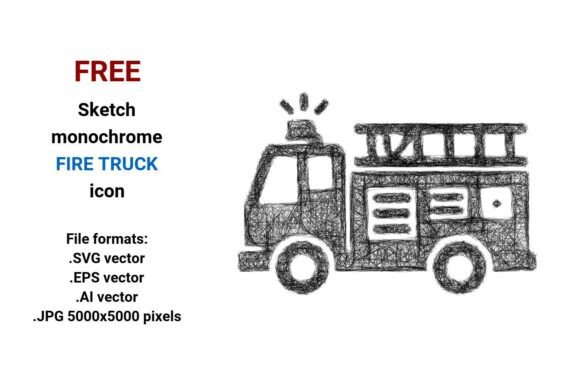
A FREE Sketch Fire Truck Icon isn’t just another download—it’s a deliberately crafted, production-ready visual element built for real-world flexibility. Unlike raster-based illustrations that blur or pixelate when resized, this asset delivers crisp clarity at any scale thanks to its vector foundation. It’s designed not as decorative flair, but as functional infrastructure: a clean, expressive representation of a fire engine, rescue truck, or emergency response vehicle—rendered in a hand-drawn sketch style that balances authenticity with digital precision.
What You Actually Get—and Why Format Variety Matters
The package includes four distinct file formats: .SVG, .EPS, .AI, and .JPG (5000×5000 pixels). That combination reflects thoughtful consideration of workflow diversity.
- .SVG is ideal for web use—embedded directly into HTML, styled with CSS, or animated via JavaScript. It loads quickly, scales responsively, and remains accessible through semantic markup.
- .EPS and .AI files preserve full editability in Adobe Illustrator and other vector editors. You can adjust stroke weight, recolor paths, isolate components (e.g., ladder, cab, siren), or integrate the icon into larger branding systems without quality loss.
- The high-resolution .JPG serves specific print or presentation needs—such as large-format signage, educational handouts, or slide decks—where vector support isn’t available or practical.
This multi-format approach avoids forcing users into a single toolchain. A marketer building an email campaign can drop in the SVG; a graphic designer refining a safety poster can tweak layers in AI; an educator printing classroom materials can rely on the JPG’s fidelity. That kind of adaptability isn’t assumed—it’s engineered.
Design Integrity: Sketchy, Not Sloppy
The FREE Sketch Fire Truck Icon uses a black-and-white sketch aesthetic—not as a stylistic gimmick, but as a deliberate communication strategy. The line work evokes urgency and human responsiveness: uneven strokes, subtle tapering, and slight irregularities suggest action, not automation. Yet it avoids looking amateurish because proportions are accurate, negative space is intentional, and key identifiers (ladder, hose reel, red bay doors implied through outline) remain instantly legible.
It’s a sketch button that functions as a pictogram: simple enough for a mobile interface, expressive enough for a children’s safety app, and neutral enough for government emergency portals. There’s no shading, texture, or gradient to complicate export or accessibility contrast. That minimalism supports long-term maintainability—especially in evolving design systems where consistency across icons matters more than individual flourish.
Real-World Use Cases and Audience Fit
Professionals who regularly balance speed, compliance, and visual coherence tend to benefit most from this asset:
- Educators and public safety communicators use it in infographics, training modules, or evacuation guides—where clarity trumps realism. A rough sketch icon signals “concept” rather than “photograph,” helping audiences focus on function over detail.
- UX designers and frontend developers embed the SVG version directly into dashboards or reporting tools for emergency response teams. Its lightweight footprint and semantic structure support WCAG-compliant labeling and screen reader compatibility.
- Small business owners launching safety-focused websites (e.g., daycare centers, senior living facilities, construction firms) apply the icon to contact buttons, service pages, or trust badges—without licensing risk or design overhead.
- Freelancers and agencies building brand kits for municipal clients or nonprofit disaster relief organizations appreciate having a vetted, editable fire engine icon that aligns with broader sketch-style icon sets—no need to commission custom work for basic illustrative needs.
It’s less suited for projects demanding photorealism (e.g., high-end simulation software), strict regulatory pictogram standards (like ISO 7010), or animated sequences requiring frame-by-frame illustration. But for interface elements, documentation visuals, or responsive web graphics, its strengths align tightly with common professional constraints: time, budget, scalability, and cross-platform reliability.
Quality and Consistency Across Contexts
Vector fidelity holds up under scrutiny: zooming into the .AI or .EPS reveals smooth Bézier curves—not jagged approximations. Stroke consistency is maintained across all versions, so a 24px web button matches the visual rhythm of a 200px hero section illustration. The black-and-white palette ensures predictable rendering across devices, browsers, and print outputs—no color profile mismatches or unintended tint shifts.
That reliability extends to editing. Opening the .AI file shows logically grouped layers (chassis, wheels, ladder), named paths, and unexpanded strokes—meaning adjustments retain vector integrity. There’s no embedded raster fallbacks or locked objects that block customization. This isn’t a “download and hope” asset; it’s built for iteration.
Practical Recommendations for Implementation
If you’re evaluating whether the FREE Sketch Fire Truck Icon fits your project, consider these actionable steps:
- Test it in context: Drop the SVG into your live site’s header or navigation bar. Does it align visually with existing icons? Does text pairing (e.g., “Emergency Contact”) feel balanced in weight and tone?
- Verify accessibility: Add
aria-label="Fire engine icon"or equivalent to the SVG tag. Confirm it reads correctly with assistive tech and doesn’t interfere with keyboard navigation. - Check licensing scope: While labeled “FREE,” confirm usage rights cover your intended application—especially if deploying commercially, in SaaS interfaces, or redistributing as part of a template.
- Compare against alternatives: Try placing it beside other sketch-style icons you use. Does line thickness, spacing, and visual hierarchy match—or require adjustment to harmonize?
For teams maintaining icon libraries, treat this as a modular component: rename layers meaningfully, document stroke values, and store variants (e.g., outlined vs. filled) alongside usage guidelines. Its simplicity makes it a strong candidate for internal design system expansion—not just one-off use.
Long-Term Value Beyond the Download
Unlike trend-dependent assets that age quickly, the FREE Sketch Fire Truck Icon leverages enduring principles: clear silhouette, functional abstraction, and format-agnostic delivery. It avoids dated textures or faddish effects, making it viable across redesigns, platform migrations, or audience expansions. As web standards evolve—like SVG 2 adoption or improved vector animation support—the underlying structure remains compatible.
More importantly, it respects user intent. When someone searches for “fire truck icon” or “rescue truck vector,” they’re rarely seeking art—they’re solving a problem: labeling a map marker, illustrating a safety protocol, or differentiating emergency services in a UI. This icon answers that need directly—without excess, ambiguity, or technical friction. That alignment between search intent and functional output is what makes it genuinely useful—not just discoverable.