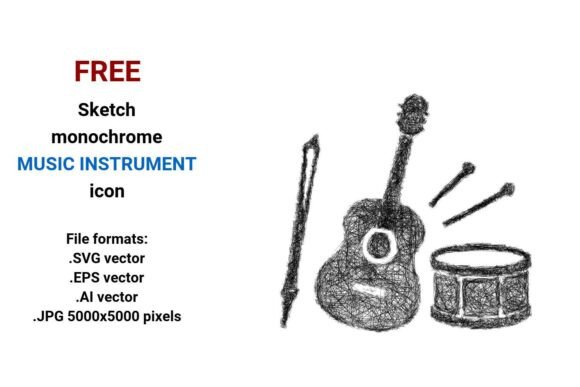
FREE Sketch Music Instrument Icon
If you're building a music-themed website, launching a podcast brand, designing educational printables, or crafting social media assets for a music school — the FREE Sketch Music Instrument Icon set is one of those quiet, versatile design assets that quietly elevates everything it touches. These aren’t glossy, over-rendered icons. They’re hand-drawn, expressive, and intentionally imperfect — sketched with the confidence of a confident line, not the rigidity of a ruler.
Each icon captures the essence of a musical instrument — a violin, trumpet, drum, or guitar — rendered in clean black-and-white line art. The style leans into artistic sketch icon territory: subtle texture hints, slight tapering on strokes, organic curves, and just enough roughness to feel human-made without sacrificing clarity. It’s minimal, but never sterile. Monochrome, yet full of personality. And because it’s delivered as true vector files — .SVG, .EPS, .AI, plus a high-res .JPG (5000×5000 px) — it scales flawlessly from a tiny app button to a 48″ trade show banner without a single pixel blurring.
Where This Sketch Style Actually Works Best
This isn’t just another “cute” icon pack. Its strength lies in context-aware versatility. Designers use the FREE Sketch Music Instrument Icon set where authenticity, approachability, and creative warmth matter more than corporate polish.
- Educational publishers embed them in worksheets, flashcards, and early-music apps — the sketch quality feels inviting to young learners and doesn’t overwhelm visual processing.
- Music therapists and private instructors drop them into handouts, session notes, or client portals. The hand drawn aesthetic signals care and individual attention — not an algorithm-generated template.
- Bloggers and podcasters use them as custom social media avatars, episode thumbnails, or section dividers. That line art style reads clearly even at thumbnail size on Instagram or YouTube.
- Small music shops and studios apply them to signage, business cards, or email headers. Paired with a clean sans serif typeface, they reinforce a brand that’s skilled but unpretentious — serious about music, not about sounding intimidating.
You’ll rarely see these icons in finance dashboards or enterprise SaaS interfaces — not because they’re technically unfit, but because their sketched voice doesn’t align with those contexts’ expectations. But in creative, learning, or community-driven spaces? They land with quiet authority.
Why Vector Quality Matters More Than You Think
A vector image isn’t just “scalable.” It’s mathematically precise: points, paths, and Bezier curves defined by equations — not fixed pixels. That means when you resize a .SVG or .AI file from 24px to 2400px, every curve stays razor-sharp. No anti-aliasing, no interpolation, no guesswork. For anyone managing both web and print deliverables — say, a responsive music festival website *and* its accompanying A2 poster — this eliminates version control headaches and ensures absolute fidelity across formats.
The inclusion of .EPS is especially thoughtful: legacy print workflows (especially older RIPs or large-format printers) still rely on it. And while .JPG isn’t vector, the 5000×5000 resolution gives real breathing room for high-DPI print or retina displays — useful when you need a quick raster fallback without generating it yourself.
Practical Pairings and Real-World Usage Tips
These icons thrive alongside typefaces that respect their handmade rhythm — not compete with it. Avoid ultra-tight, geometric sans serifs (like Futura Bold or DIN) unless you’re deliberately going for contrast. Instead, try:
- A warm, open sans serif like Inter or Manrope for UI or editorial layouts — clean enough to let the sketch breathe, friendly enough to match its tone.
- A restrained serif like PT Serif or Crimson Text for printed program books or album liner notes — the serif’s structure grounds the sketch’s looseness.
- A light script font, used sparingly (e.g., only for a logo lockup or headline), can echo the hand-drawn energy — but avoid anything overly ornate or dense.
When testing pairings, ask: does the icon feel like part of the same visual family — or like a guest who forgot the dress code? Also, check legibility at actual usage sizes. A delicate sketch line may vanish at 16px on mobile. In those cases, lean on the bolder weights within the set (if available) or increase stroke width slightly in your vector editor — it’s trivial in .SVG or .AI.
Licensing, Legitimacy, and What “Free” Really Means Here
This is a FREE Sketch Music Instrument Icon set — and yes, “free” includes commercial use. No attribution required. No hidden paywalls for expanded styles. No “free trial, then $29/month” fine print. It’s truly open for designers, small studios, educators, and makers to use across client work, products, and personal projects.
That said, “free” doesn’t mean “unvetted.” Before dropping icons into a client’s brand system, verify the source is reputable — look for clear licensing language, consistent file naming, and properly embedded color profiles (even in monochrome, CMYK/RGB handling matters for print). These files ship ready: paths are cleaned, layers organized, and export presets tested. That’s the kind of reliability you’d expect from a premium font — now extended to design assets like icons.
One final note: if you’re assembling a broader brand identity, treat these icons as part of a cohesive system — not isolated decorations. Use them consistently in spacing, alignment, and sizing. Apply the same stroke weight across all instruments in a given layout. That subtle discipline is what turns a collection of sketches into a recognizable, trustworthy music instrument design language.